Keep it flexible.
$30one-time
Plus any sales tax, shown at checkout.
- One calendar month of Aurora on up to two Windows PCs
- Unlimited song generations during your license
- Daily updates included
- No subscription, no automatic renewal
Aurora DAW · The Windows music studio
An idea becomes a song. A song becomes your session. Describe the sound you have in mind, then arrange, edit, mix and record in the same studio.
No song credits to count. Generate throughout your active license period. What unlimited means
Windows 10/11 · No card for the trial.
Then $30 for a month or $240 for a year, plus applicable tax. One-time payment. Nothing renews automatically.


Start with Hex Station, then hear Golden Sunbeam and the approved archival recording Rusty Sunset. Listen to a hook or play each complete track.
Melodic rap in C minor, with a sampled pizzicato lead, drums and 808 bass.
Bright tropical pop: a marimba hook over fuzz-guitar chords, piano and a finger-style bass.
Warm R&B. An approved archival recording.
Left and right arrows move five seconds. Page Up and Page Down jump to the next or previous section of a new song, or fifteen seconds in an earlier recording. Home and End go to the start and the end. Space or Enter plays or pauses.
R&B to metal. Each one has its own source and audio checks, listed under What we checked.
Try the studio free for 3 days, or pick a month or a year. Your license code and the Windows download arrive right after checkout.
One-time payment. No subscription or automatic renewal. Plus applicable tax, shown at checkout. Plan details
From first idea to your next record
Aurora writes and arranges the instrumental, renders its parts on your PC and masters the result. Then the session opens for the part only you can do.
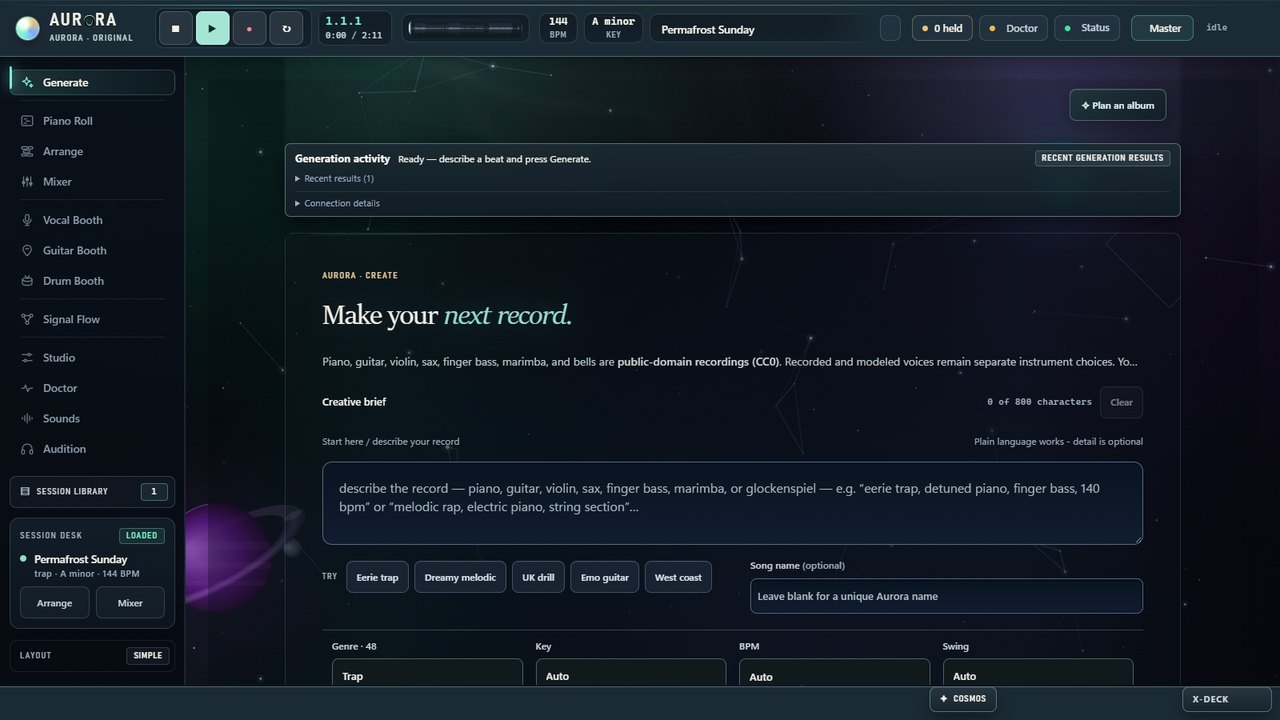
Describe the mood and instruments. Choose a style, key and tempo, or let Aurora choose. Explore a different direction when the first result is not the one.
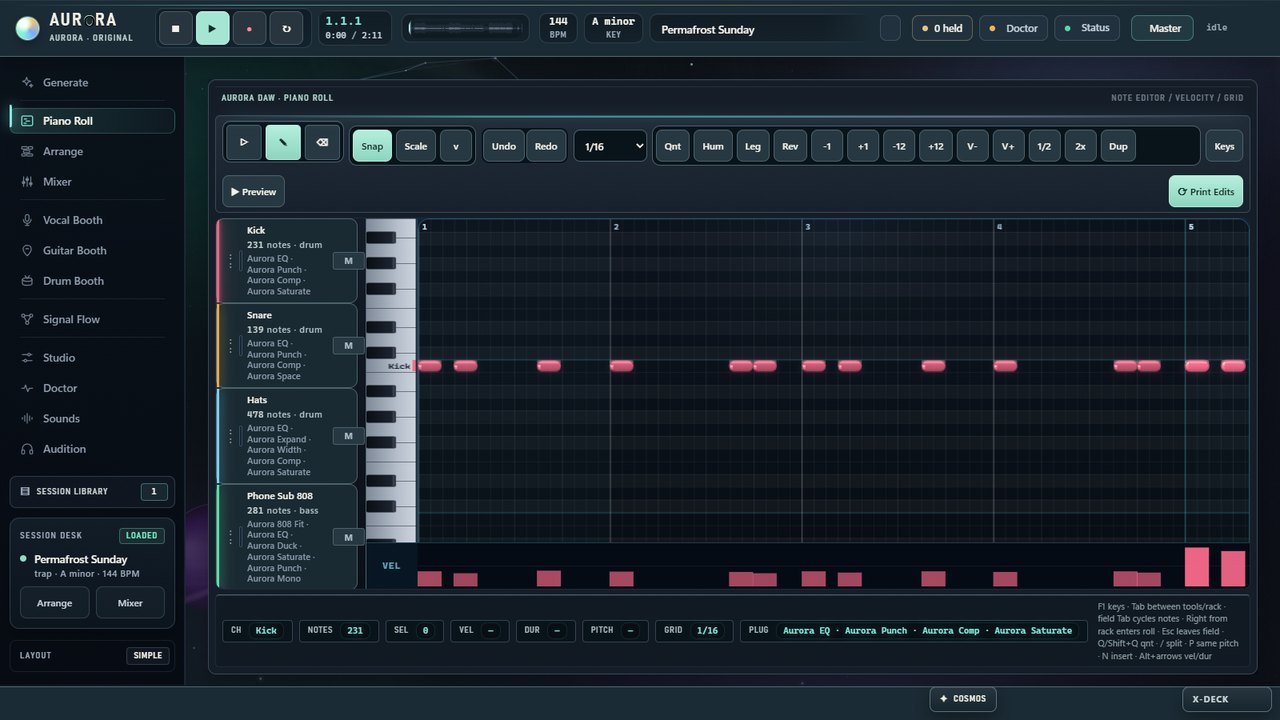
Try your first idea ↗Work with the arrangement, edit notes in the piano roll, shape the mix and follow the signal flow. Keep the parts you like and change the rest.
Explore the workspaces ↗Use the Vocal and Guitar Booth workspaces to record and develop a performance alongside your song. Master and stem downloads are the original generated prints; exporting a complete mix that includes your new takes is not yet available.
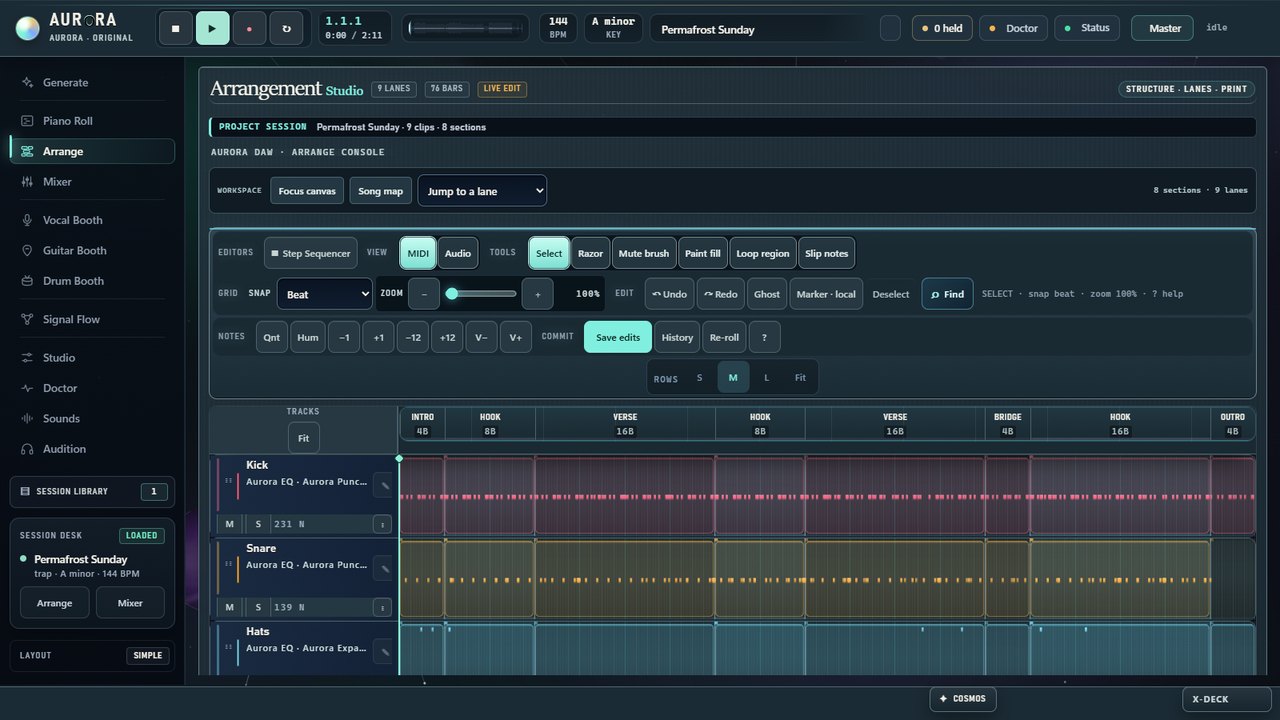
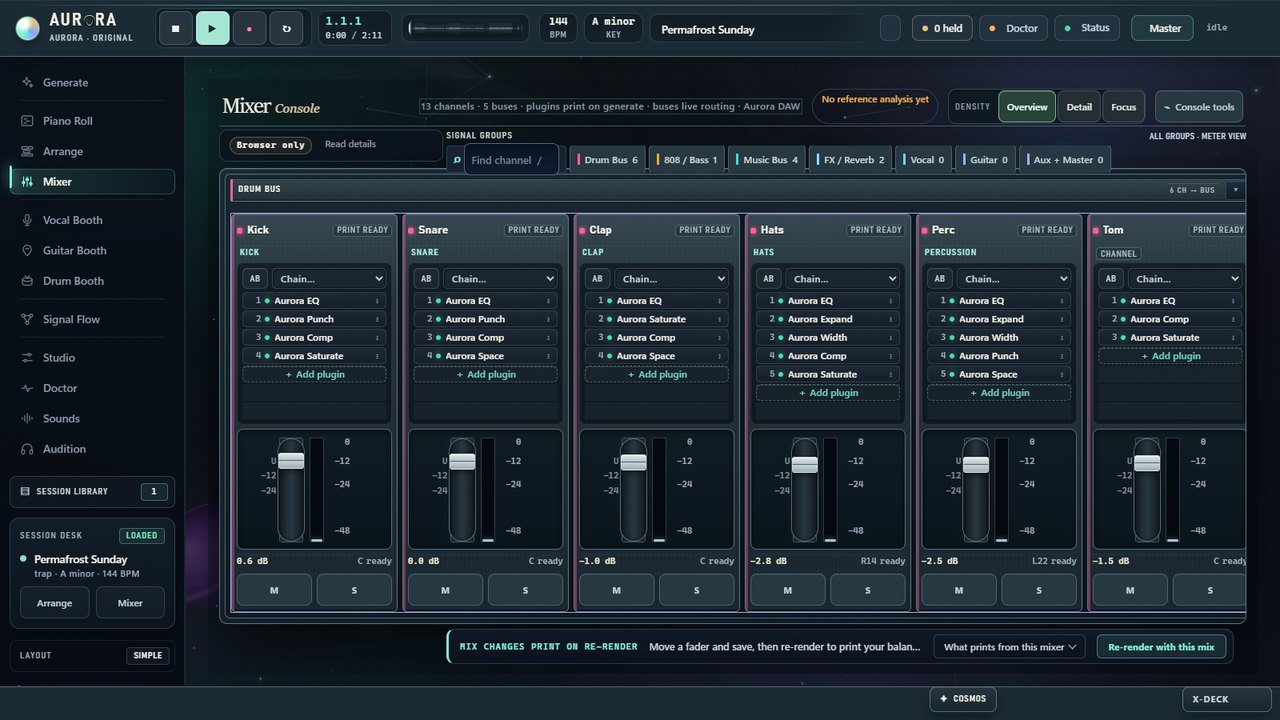
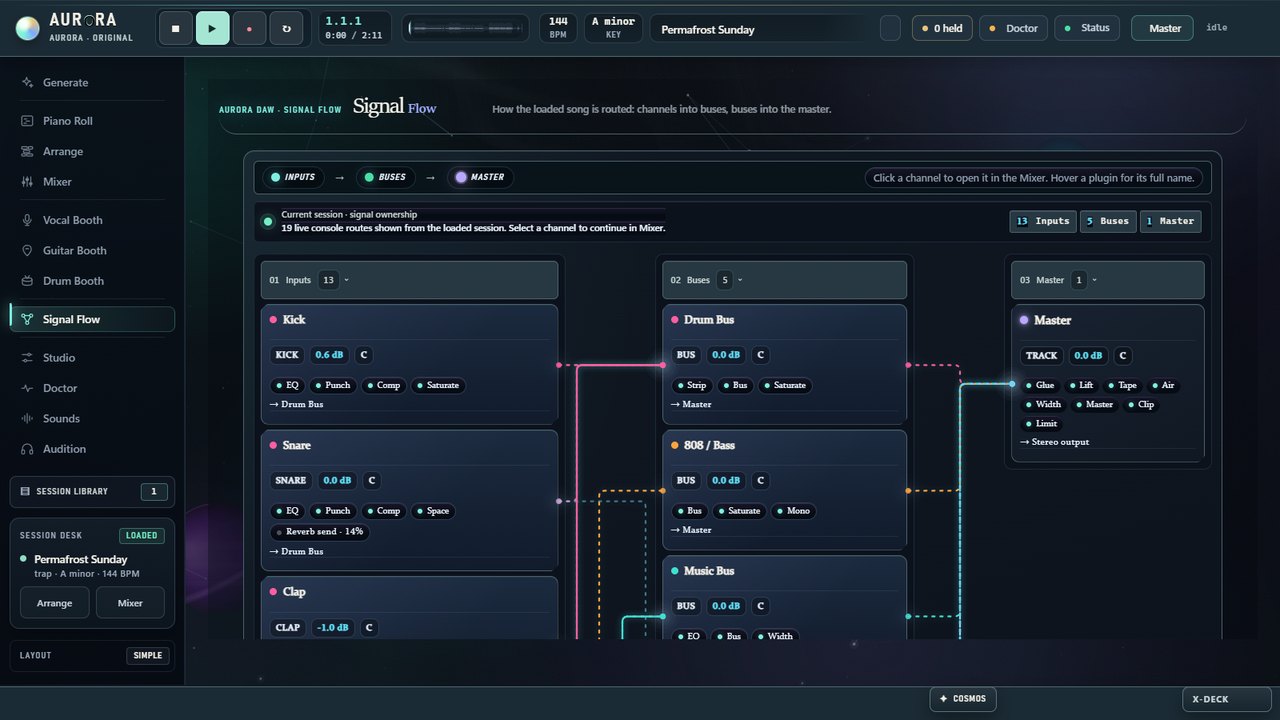
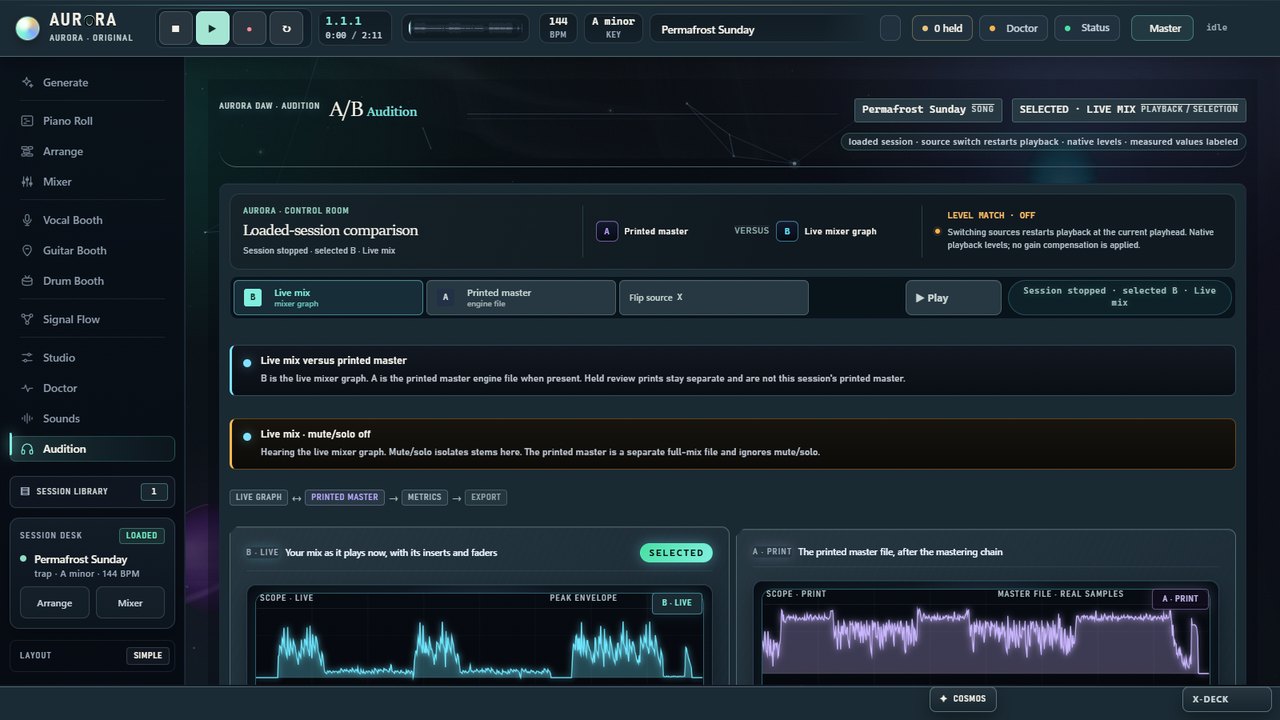
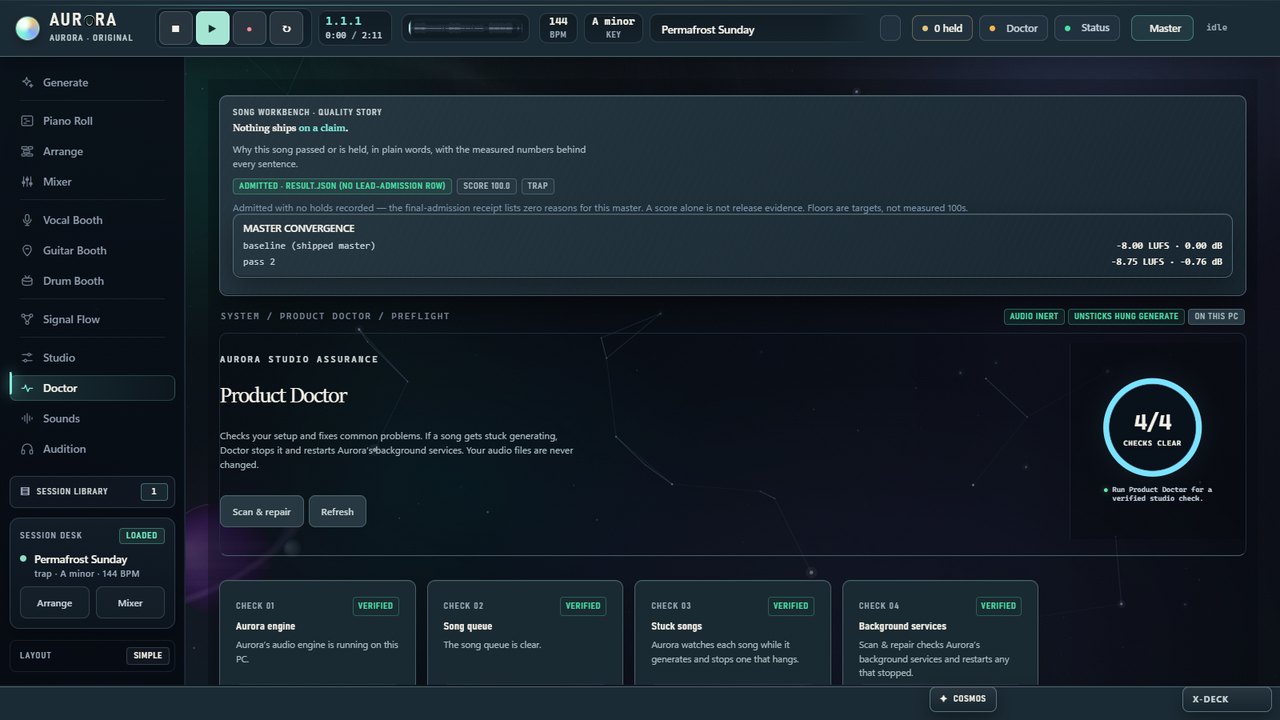
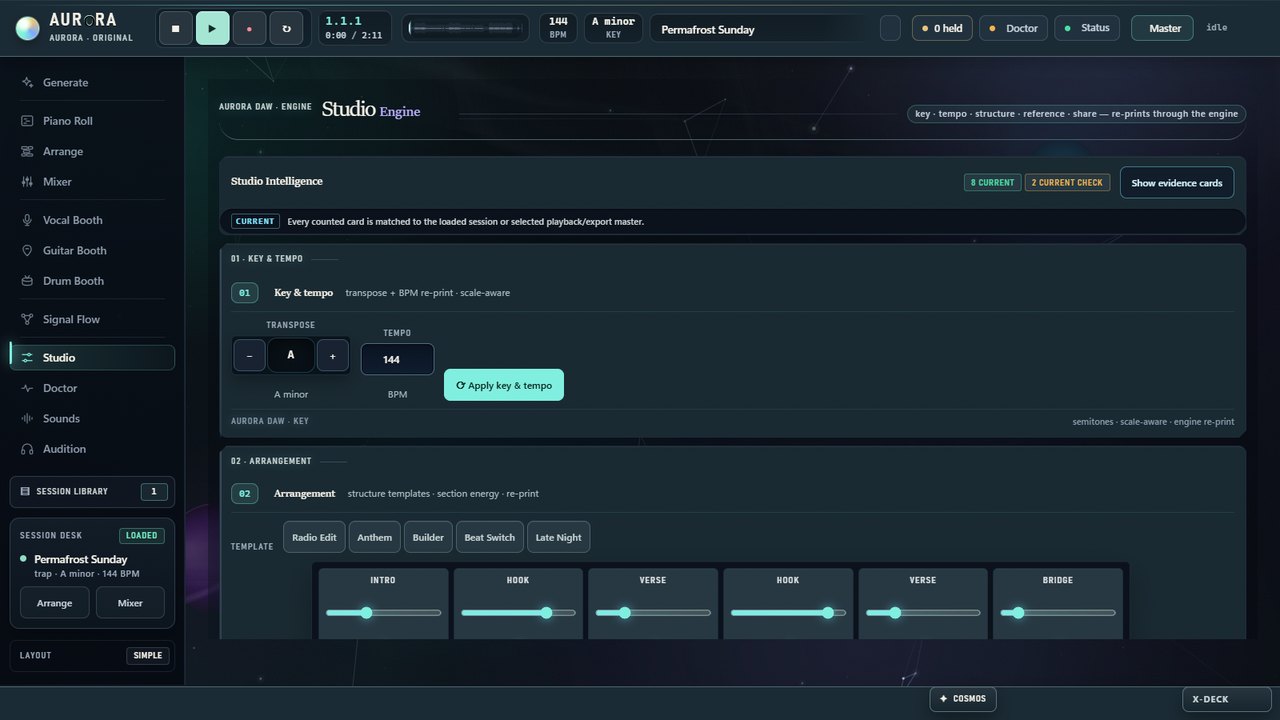
Check recording and system requirements ↗Explore Arrangement and Mixer in motion, then open the full-size workspace snapshots. The recordings and snapshots carry their own capture details below.
Recorded October 8, 2026 with Lost Undertow loaded in the development studio. Each recording includes its matching printed-master audio. The installed-release snapshots below were captured separately on October 4, 2026.
Open any snapshot for the complete view. These unretouched captures show Aurora DAW 1.20261004.1, the installed Windows release, with its first song open.
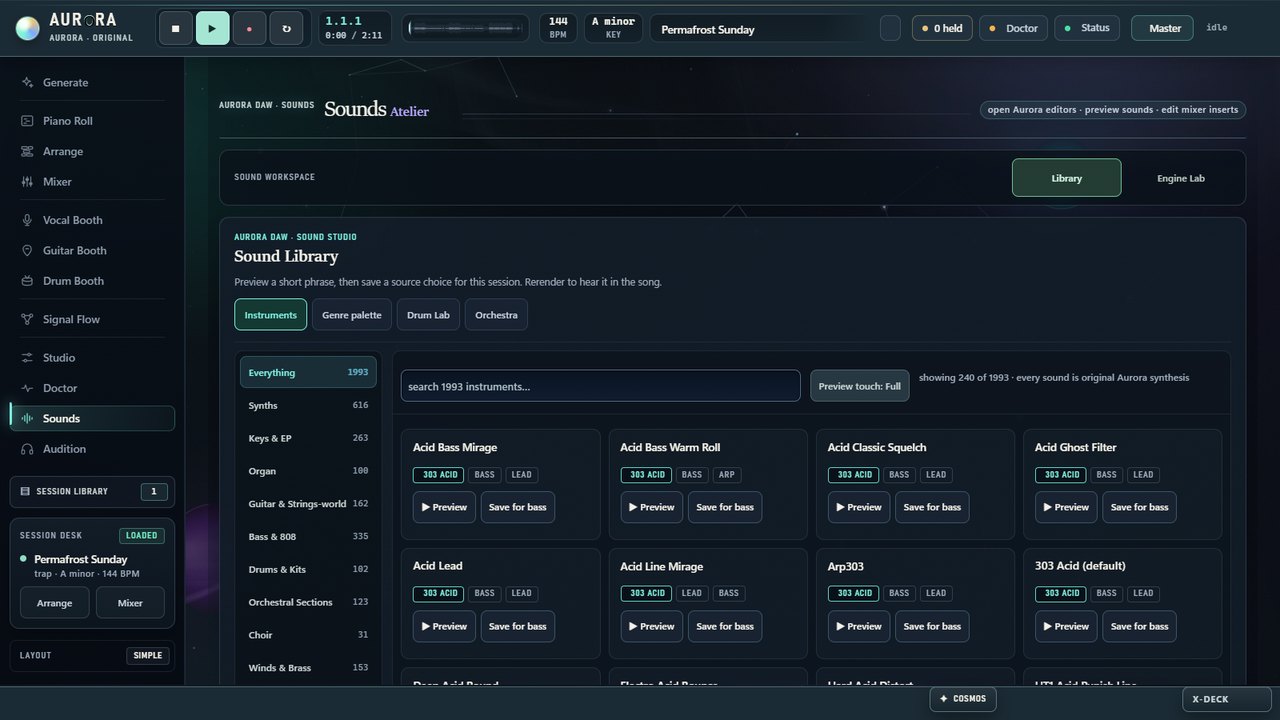
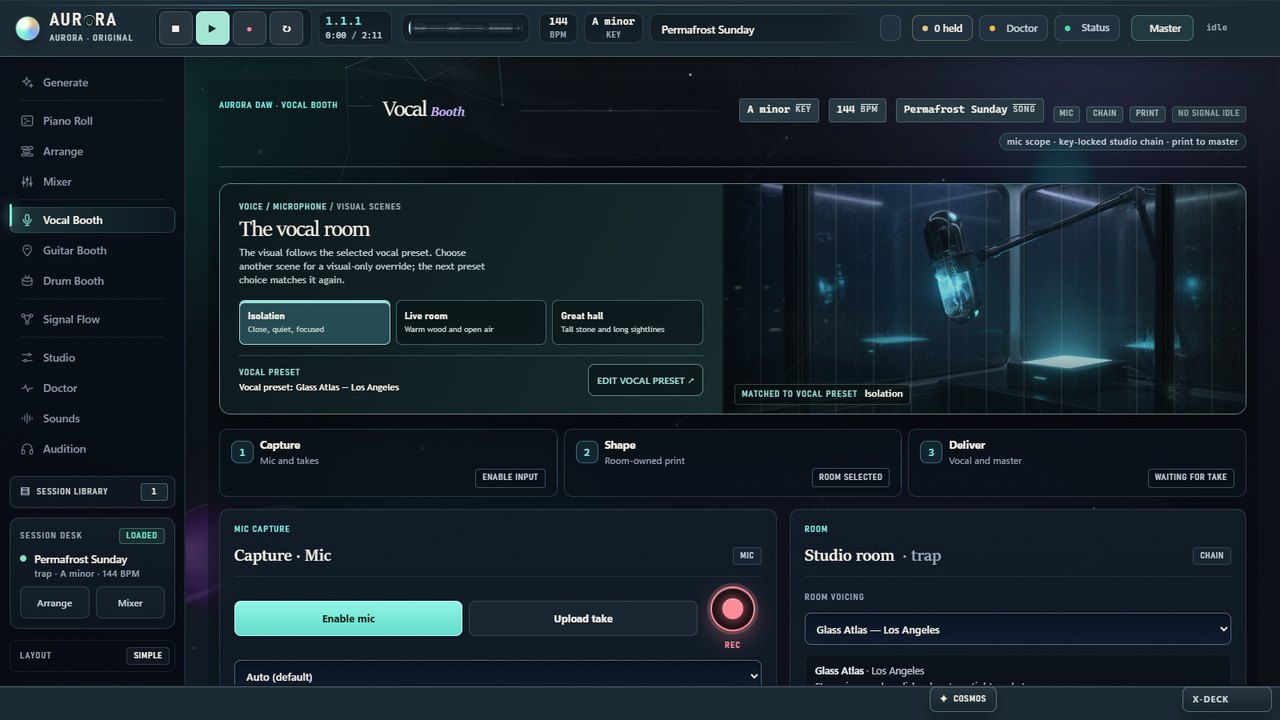
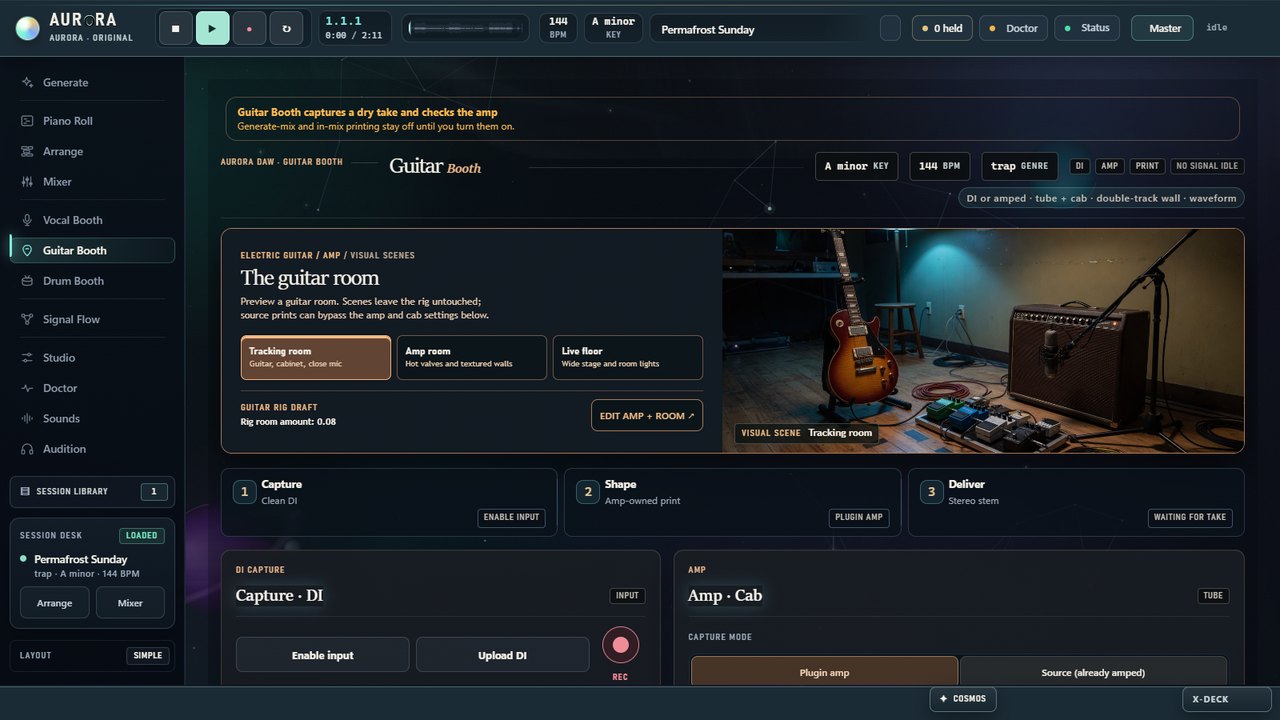
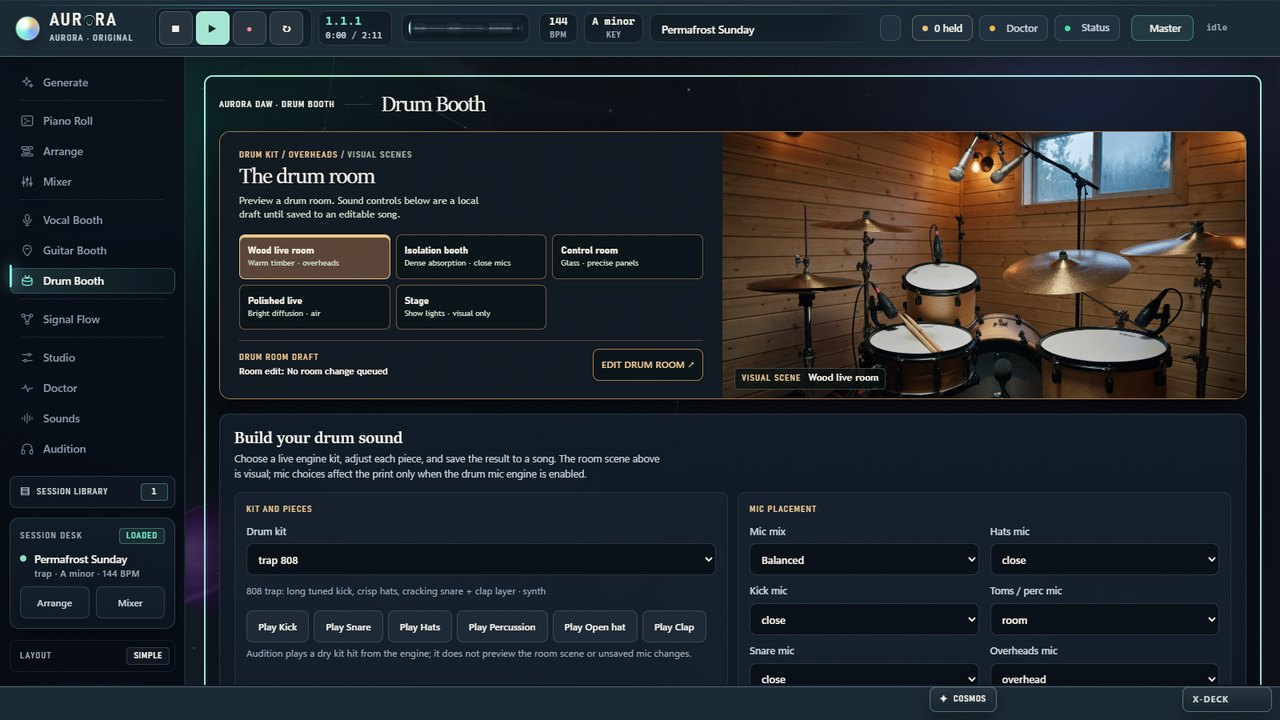
Choose a month or a year of Aurora for Windows.
One-time payment. No subscription or automatic renewal. Plus applicable tax, shown at checkout. Plan details
The local studio runs on Windows. Buyers download the current signed release, and Aurora updates itself once a day.
Aurora Prism brings modeled instruments and effects, and the release ships 99 instrument banks plus a 13,203-sample library in 44 packs: Aurora Foundry drum kits, bass sounds and instruments and public-domain (CC0) recordings, which the engine draws on for drums and sampled parts. Every sound is Aurora-owned or CC0. These counts come from customer release 1.20261004.2, installed and running.
Instruments, Aurora DAW 1.20261004.2, 2026-10-04.
Inventory checked on October 4, 2026 in installed release 1.20261004.2: 1,992 presets across 566 banks; 26 drum kits; 56 guitar rigs with 14 amps and 16 pedals; and 12 vocal chains with 13 stages. Its signed manifest lists 99 instrument banks and 13,203 library samples. Sample licenses are listed in samples_cc0/index.json, with CC0 credits in THIRD_PARTY_NOTICES.md. Counts change with releases; the signed manifest and inventory supplied with your download are authoritative.
Pay once for a month or a year of Aurora DAW for Windows. Nothing renews on its own: when your time is up, buy again if you want more.
Get a code the same way a buyer does, download Aurora for Windows and make songs for 72 hours from the moment you start. One trial per person and per PC.
$30one-time
Plus any sales tax, shown at checkout.
$240one-time
Plus any sales tax, shown at checkout.
The year saves $120 compared with twelve months at $30 ($360).
Secure checkout by Stripe. Sold through Link, Stripe's checkout: pay by card, wallet or the other methods offered where you live. Any tax is shown before you pay, and your statement shows LINK.COM*. Your license code and the Windows download appear right after payment. One license works on up to two Windows PCs. By buying you agree to the Terms.Already bought? ActivateHow it works
Understand how Aurora works before making a purchase decision. The studio, output, and platform requirements are explained here.
Compare these recordings: pop, trap, house, country, R&B, reggaeton, rock, metal and more bring different drum feels, palettes and arrangements. This small selection shows those songs, not a guarantee that every generation in a style will sound the same.
The honest limit: a genre preset is a style frame — a tempo range, a drum feel, a harmonic character, an instrument palette. Records inside one genre will share that frame, the same way two trap beats share a frame.
The local studio saves masters, stems, sessions and booth recordings to your computer. The public listening page serves its own fonts and audio and has no analytics or tracking scripts. Account and device records are described in the Privacy policy.
What does leave. You activate once at auroradaw.com/login, and Aurora asks AuroraDAW.com once a day whether a newer version exists. The license check before each new song runs on your PC. If you configure an optional Model Provider, the musical request needed to compose is sent to that provider under its terms. Optional providers may process your request under their own privacy policies and terms.
Yes. Play every recording above without creating an account. When you are ready, buy a month or a year; your license code and the download appear right after payment.
Listen closely and use the current Terms for any existing purchase.
Creating new music pauses until you buy another month or year. Everything you made stays on your PC, and you can still open, play, mix and export it.
Nothing renews or charges you automatically. Customers from the earlier $20/month offer keep the terms they accepted.
Keep it. Aurora exports the lossless master, the stems, and the session as a .dawproject or .als file for the DAWs that open those formats. Finish wherever you like.
What Aurora replaces is the blank session — the hours between an idea and something arranged, mixed and measured. Not the DAW you already know.
Publishing rules vary by platform and distributor. Check the current policy that applies to your release, disclose AI involvement when required, and review the rights to every track before publishing.
Use your distributor's disclosure fields when required. Policies can change, and Aurora does not guarantee that AI-assisted output is original. You are responsible for reviewing and clearing the rights to what you release.
The current Windows application has these requirements. Check the signed release documentation and the applicable purchase terms before buying.
Playback, access, requirements and privacy.
There is no song quota or generation-credit pack in Aurora. You can create new songs while your license is active, within what your PC can render. The free trial lasts 72 hours; paid access lasts one calendar month or twelve calendar months. When that period ends, you can still open, play, mix and export work you already made.
If you choose to configure an optional Model Provider, its own availability, terms and charges still apply. Unlimited generations does not promise a particular rendering speed, musical result or originality. See the Terms for the full offer.
Choose a month ($30) or a year ($240) under Pricing and pay securely through Link, Stripe's checkout; any sales tax is shown before you pay, and Link emails your receipt. Right after payment you get your license code and the Windows download. Unzip, open Aurora DAW.vbs, then activate at auroradaw.com/login. Nothing renews automatically. See the Terms.
Publishing rules vary by platform and distributor. Check the current policy that applies to your release, disclose AI involvement when required, and review the rights to every track before publishing.
Aurora composes one session at a time using its instrument engine. Review each result before release and use your distributor's AI disclosure fields when required. Your platform's current policy and the rights to the material in your track determine where you can publish it.
Windows 10 or 11, 64-bit. Aurora currently supports Windows only; a Mac version is not available. Unzip the download, double-click Aurora DAW.vbs and activate once on the Windows PC you will use. You need the internet to download Aurora, to activate and for daily updates; after activation, creating works offline until your license period ends. Full requirements are in the section above and in the Terms.
In the local studio, masters, stems, sessions and booth recordings are saved to your machine. The public listening page has no analytics or tracking scripts. Buying and activating Aurora use the license, activation and abuse-protection records described in the Privacy policy.
What does leave. You activate once at auroradaw.com/login, and Aurora checks AuroraDAW.com once a day for updates; neither sends your songs. The license check before each new song runs on your PC. And if you configure a Model Provider for composition, the musical request needed to compose is sent to that provider under that provider's terms. Privacy and Terms set this out line by line.
Yes. Hex Station and Golden Sunbeam were made in Aurora’s development studio in October 2026. Hex Station was selected by the user; Golden Sunbeam retains its earlier listening review. Rusty Sunset is an approved, independently reviewed archival recovery. Letter Sparkle, Strike Tower 584D, Violet Umbra 7DC4, Lost Undertow, No Whiskey and Clay of Wound are completed Aurora instrumentals with verified finalized-master and sound-source records. The ten top-genre songs were made by Windows customer releases of Aurora DAW, 1.20261004.10 to 1.20261006.3. Every highlight is a phrase from the corresponding full recording.
No. The source and audio checks apply to these exact recordings. Rusty Sunset follows an independent archival review and the six instrumentals follow finalized-master verification; Hex Station, Golden Sunbeam and the ten top-genre songs passed the checks listed under What we checked. No numeric score alone guarantees musical quality.
Yes — that is the entire point. You get the session: an arrangement timeline with razor, mute, paint and loop tools, a piano roll where every part is note-editable, a mixer with editable insert order, a vocal booth and a guitar booth. You can re-print one section without touching the rest, export stems, or export the whole session as a .dawproject or .als file.
Current master and stem downloads are the original generated prints. A complete mix export that includes new booth takes is not yet available.
Yes, two kinds and no others: Aurora-owned sounds (its own synthesis and its own samples), and public-domain (CC0) recordings that Aurora can trace file by file to their publisher’s release. A recording without that trail is held and never plays, and the CC0 sources are credited in THIRD_PARTY_NOTICES.md in every release. The signed release manifest is authoritative for the files and content in a customer download. Any optional third-party plugin, library or Model Provider you configure must be obtained and licensed separately.
Every purchase includes the updates published during its period, and earlier customers keep the terms they accepted. See the Terms.
No. AI-assisted output is probabilistic and may resemble existing works. Do not ask a configured Model Provider to reproduce a specific song. You are responsible for reviewing, clearing and lawfully using anything you release.
This website shows 62 development style frames across 10 families, not 62 approved genres. Jazz and Dubstep are held pending genre-specific review. The nineteen recordings above have song-specific checks; they do not approve every song in their genres. A customer download's signed release manifest defines its contents.
Every web file was decoded and measured. These checks are specific to these recordings; they are not a promise about every generation.
| Song | Style | Full song | Highlight | How it was picked | Delivery true peak | File |
|---|---|---|---|---|---|---|
| Hex Station | Melodic rap | 2:17 | 29 s | User selection; finalized Aurora master | -2.82 dBTP | FLAC |
| Golden Sunbeam | Pop | 2:12 | 19 s | Rated good by ear; Aurora checks | −3.0 dBTP | MP3 |
| Rusty Sunset | R&B | 2:31 | 24 s | Independent archival recovery | −1.3 dBTP | WAV |
| Letter Sparkle | Reggaeton | 2:41 | 30 s | Finalized master and Aurora sound sources | −1.9 dBTP | MP3 |
| Strike Tower 584D | Deep house | 2:35 | 24 s | Finalized master and Aurora sound sources | −1.2 dBTP | MP3 |
| Violet Umbra 7DC4 | Country | 2:33 | 30 s | Finalized master and Aurora sound sources | −1.9 dBTP | MP3 |
| Lost Undertow | Trap | 2:19 | 27 s | Finalized master and reviewed sound sources | ≤ −2.0 dBTP | MP3 |
| No Whiskey | Pop | 2:18 | 28 s | Finalized master and reviewed sound sources | ≤ −1.6 dBTP | MP3 |
| Clay of Wound | Country | 2:08 | 30 s | Finalized master and reviewed sound sources | ≤ −1.2 dBTP | MP3 |
| Winter Blackout | Hip-hop | 2:16 | 30 s | Aurora checks, best of 6 | −1.2 dBTP | MP3 |
| Deep Grace | R&B | 2:18 | 30 s | Aurora checks, best of 11 | −1.2 dBTP | MP3 |
| Relentless Boulevard | Rock | 2:15 | 28 s | Aurora checks, best of 13 | −1.1 dBTP | MP3 |
| Radius of Pop | Pop | 2:20 | 30 s | Aurora checks, best of 11 | −1.3 dBTP | MP3 |
| Fresh Comet | Country | 2:15 | 28 s | Aurora checks, best of 12 | −1.1 dBTP | MP3 |
| Lantern of Sunbeam | Latin | 2:10 | 30 s | Aurora checks, best of 11 | −1.0 dBTP | MP3 |
| Monday Slumber | Dance / Electronic | 2:12 | 25 s | Aurora checks, best of 9 | −1.1 dBTP | MP3 |
| Crisp Skyline | Afrobeats | 2:11 | 29 s | Aurora checks, best of 7 | −1.8 dBTP | MP3 |
| Sunday Canyon | Christian / Worship | 2:16 | 30 s | Aurora checks, best of 8 | −1.0 dBTP | MP3 |
| Dead October | Metal | 2:10 | 30 s | Aurora checks, best of 8 | −1.1 dBTP | MP3 |
Song times use the player’s minute-and-second display. Hex Station offers lossless FLAC playback where supported, with a 320 kbps MP3 fallback; Golden Sunbeam retains its approved MP3 files. Their delivery levels use attenuation only toward −11 LUFS. Rusty Sunset keeps its approved archival WAV download and existing web previews at their original quieter level. Other recordings that are louder than the target are turned down while they play, where your browser allows it; quieter ones play as they are. A numeric score is not a listening review or a guarantee of musical quality.
The atlas is a development inventory of local style frames, not a catalog of approved genres. Jazz and Dubstep are held pending genre-specific review. Each recording above has its own source and audio checks. A song-specific check does not approve an entire genre. A customer download's signed release manifest defines its contents.
Style frames, not clones. A genre preset is a tempo range, a drum feel, a harmonic character and an instrument palette. These frames describe musical traits; they are not a promise that generated output will be original. This development atlas is not a release-quality certification for any genre.
Hear the songs again, explore the studio, then make it yours for a month or a year. Nothing renews on its own.
0:00 / 0:00